Everything you need, built for PCOS.
Track your cycle, symptoms, labs and meds. Train with strength programs that remember your numbers. Eat protein- and fibre-first. And check in with a real coach every week — all in one calm app.
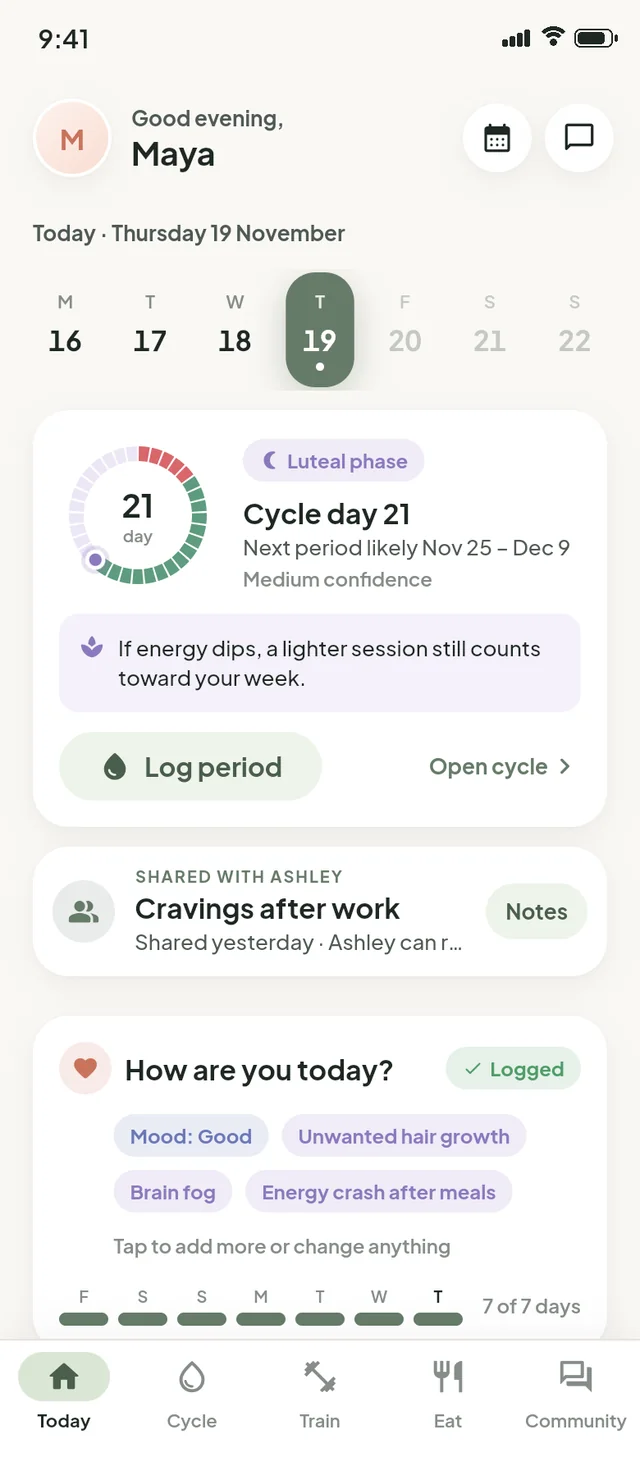
See your patterns, not just your days.
PCOS shows up differently for everyone. Logging takes seconds, and the app turns it into ranges, trends and comparisons you can actually use — and take to your doctor.
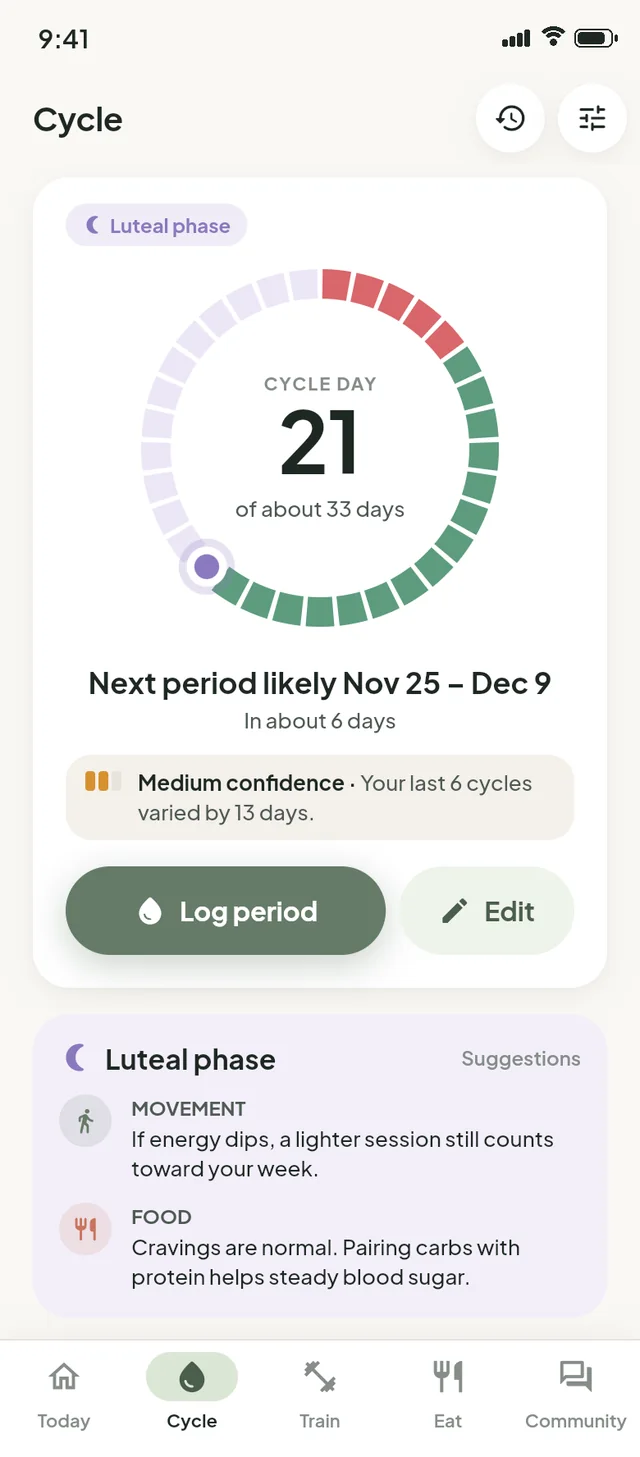
Honest cycle predictions
Irregular cycles deserve better than a confident guess. Resiliency looks at your last few cycles — giving recent ones the most weight — and shows your next period as a range.
- A likely window with a confidence word — Good, Medium or Low — and the reason behind it
- When a cycle runs long: “N days since your last period”. Never “late”
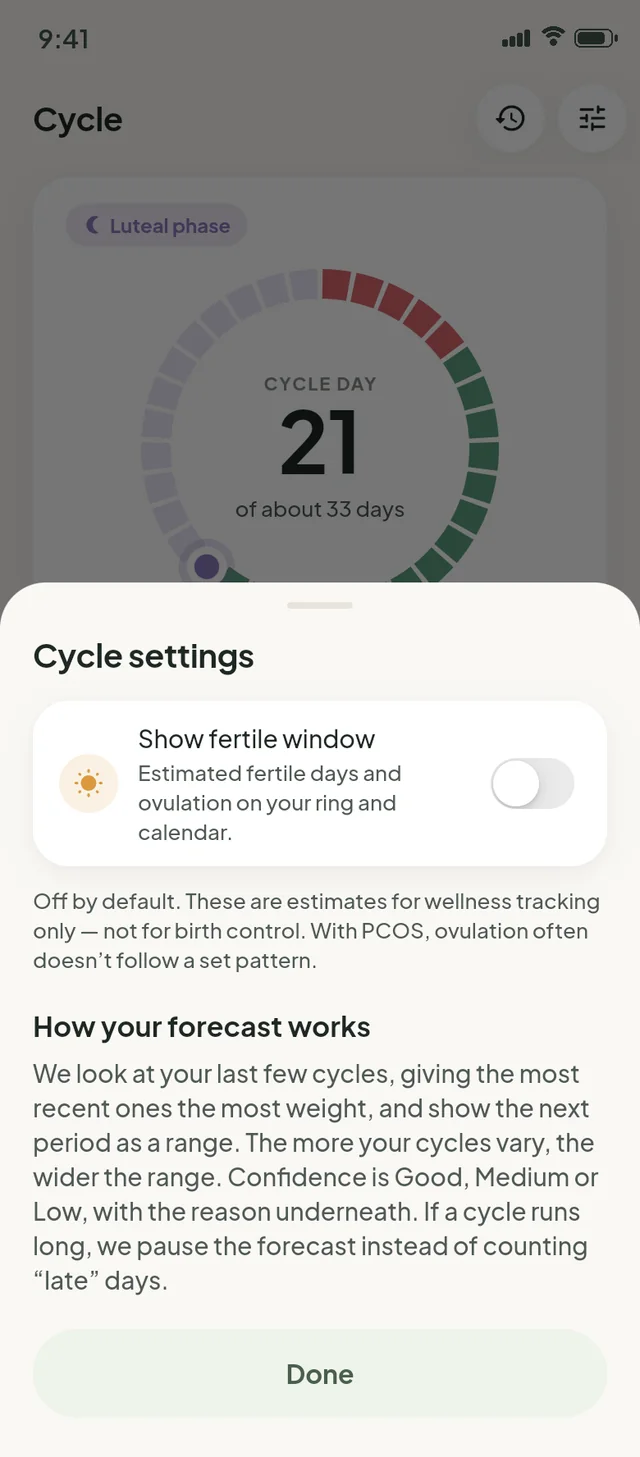
- Fertile-window estimates are off by default; switch them on only if you want them
- Calendar, cycle history and how your cycle lengths have changed over time
Predictions are estimates for wellness tracking — not birth control and not a diagnosis. With PCOS, ovulation often doesn’t follow a set pattern.
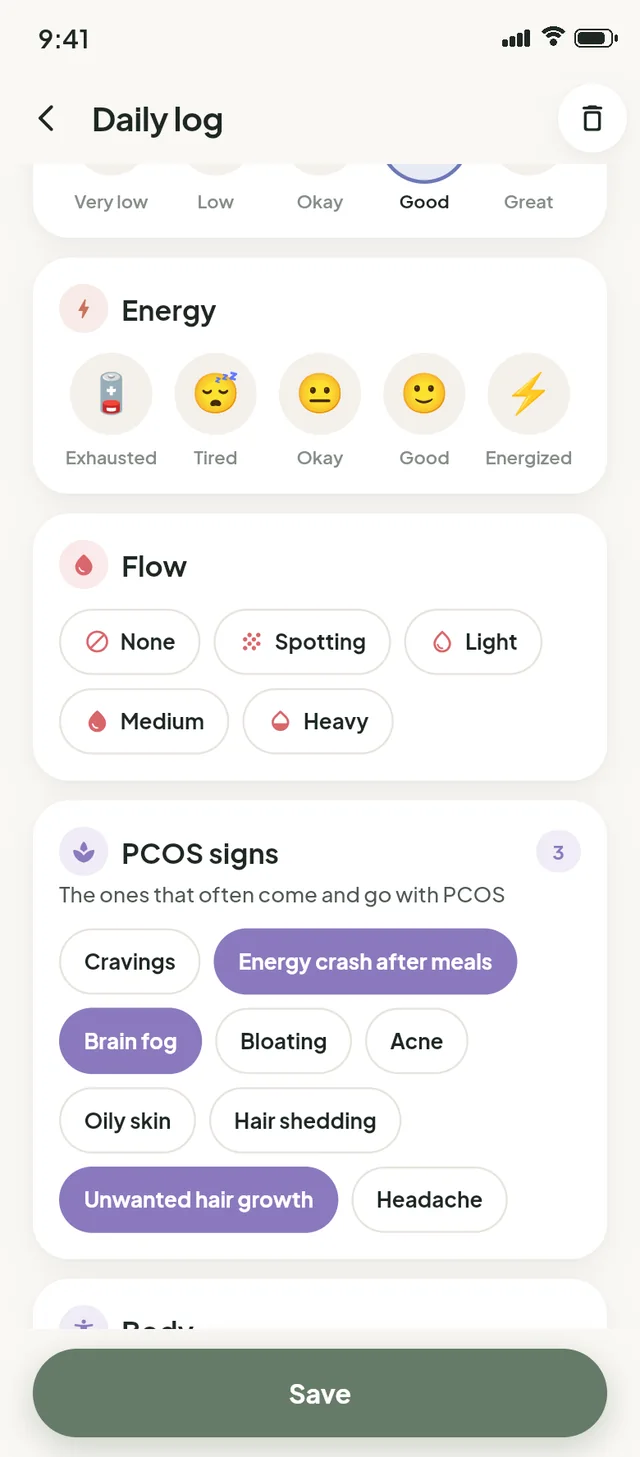
A daily log made for PCOS
The symptoms that actually come up with PCOS are right there as chips — no hunting through menus, no typing.
- Mood, energy and stress on simple emoji scales, plus sleep and flow
- “Same as yesterday” copies your last log in one tap
- Today’s meds sit at the top of the log, so nothing gets missed
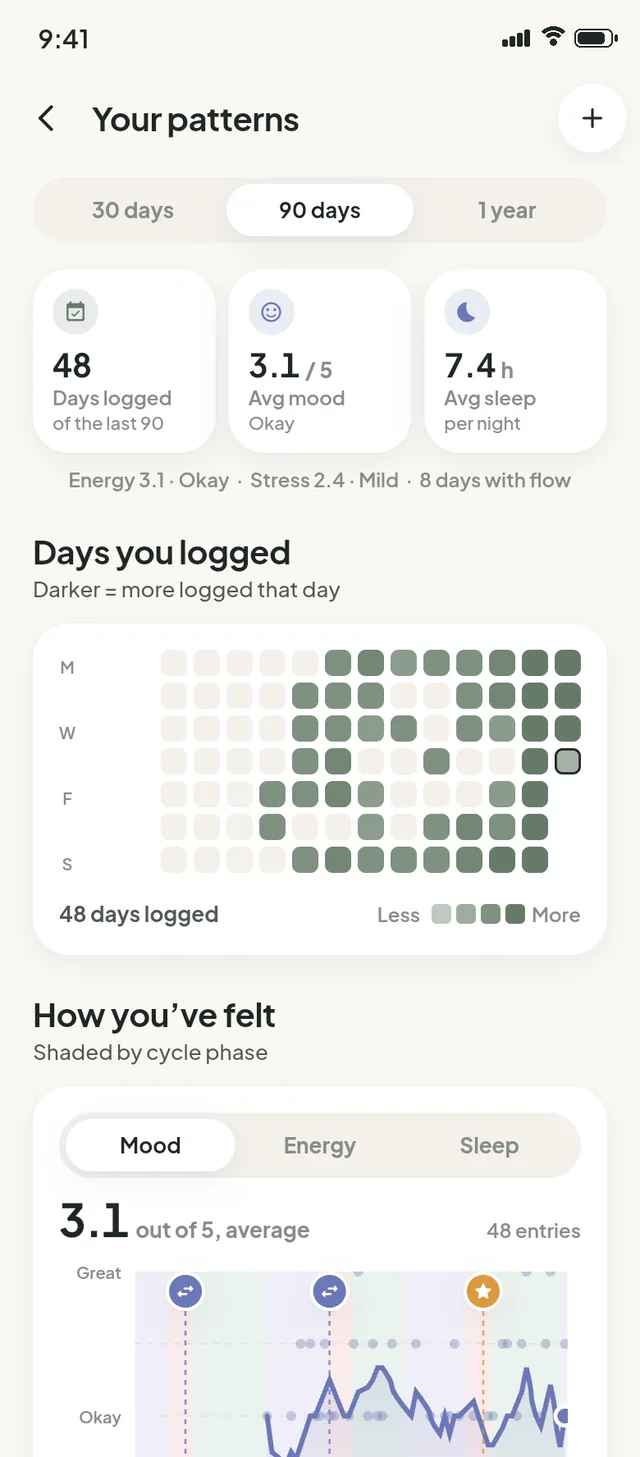
Your patterns, over weeks and months
A few weeks of logging turns into a picture of how things really go — shaded by cycle phase, so a rough patch makes more sense.
- A heatmap of the days you logged, and mood, energy and sleep charts by phase
- Your most common symptoms, and how they compare across phases
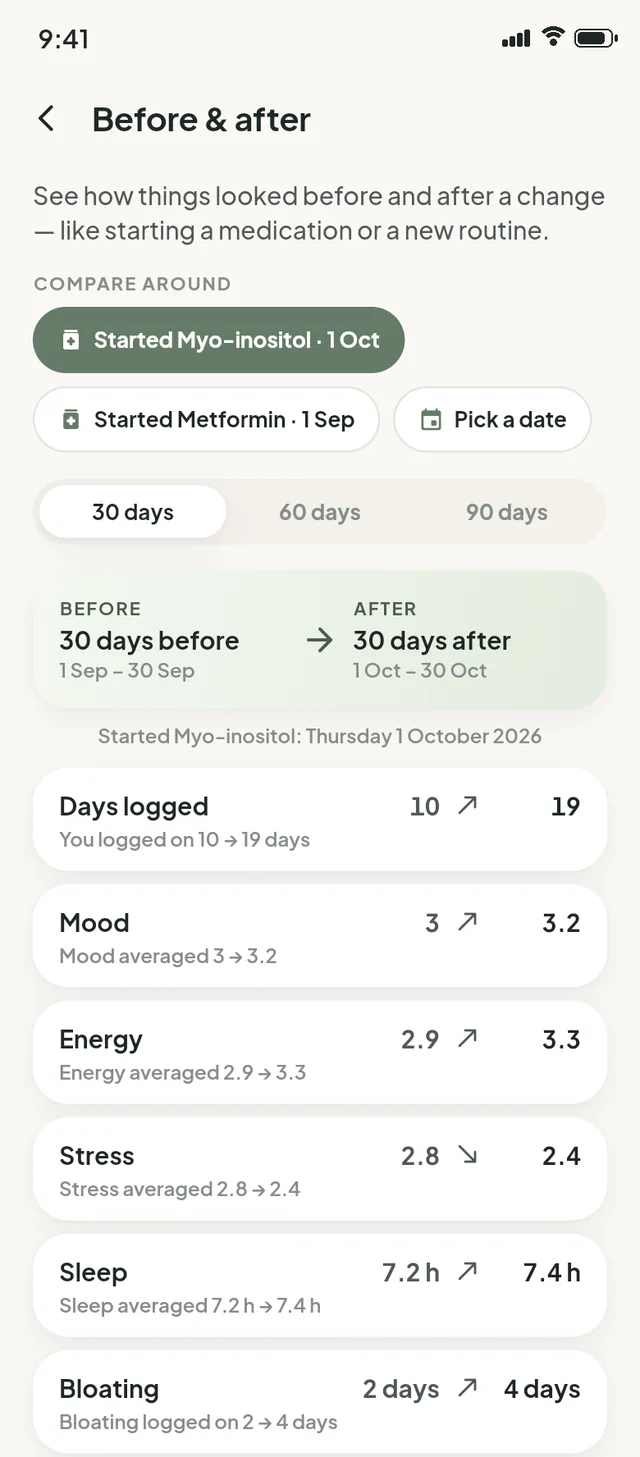
- Before & after: compare 30, 60 or 90 days around a date — like starting a medication or a new routine
Lab results with HOMA-IR
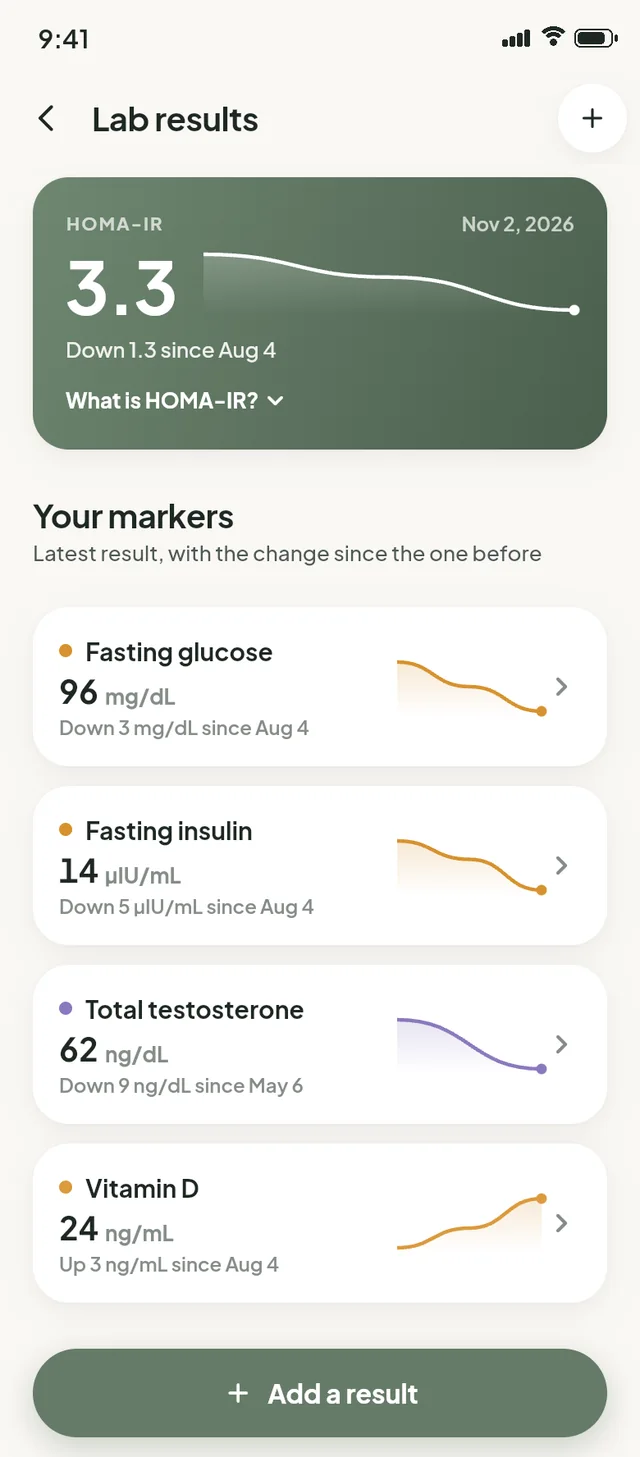
Add your results as they come in and see each marker’s trend at a glance. Enter fasting glucose and fasting insulin from the same test, and Resiliency works out HOMA-IR — a common estimate of insulin resistance — with the change since last time.
- Glucose, insulin, testosterone, vitamin D and other markers you track
- The latest value, its unit, and the change since your previous result
- A history chart for every marker
HOMA-IR is an estimate to talk through with your doctor, not a diagnosis. Want to try it now? Use the free HOMA-IR calculator.
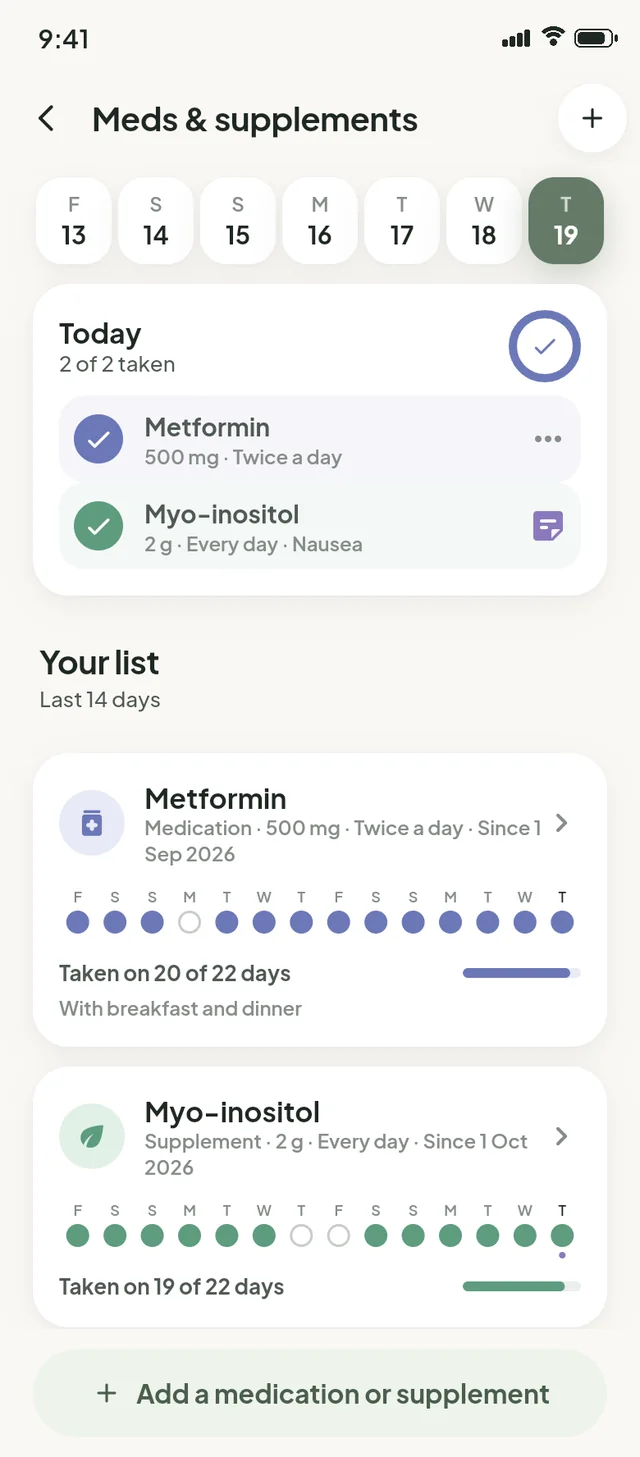
Meds & supplements, ticked off daily
“Did I take it?” stops being a question. Add what you take once, then tick it off each day.
- A daily checklist with dose and timing — metformin, inositol, vitamin D, anything
- Note side effects as they happen
- A simple record of the days you took each one, ready for your next appointment
Walk into appointments prepared
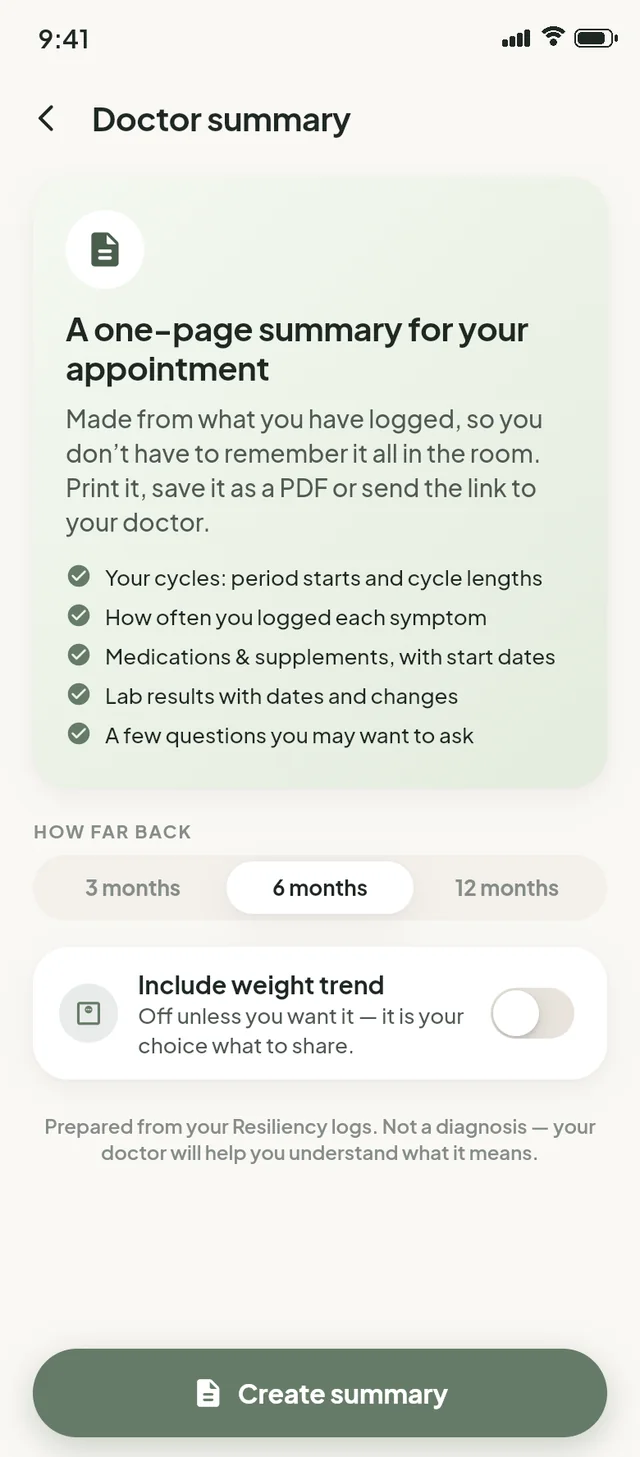
The doctor summary turns what you’ve logged into one tidy page, so you don’t have to remember it all in the room. Print it, save it as a PDF or send the link.
- Period starts and cycle lengths
- How often you logged each symptom
- Medications and supplements with start dates, and lab results with changes
- A few questions you might want to ask — and weight only if you choose to include it
The everyday basics, kept calm
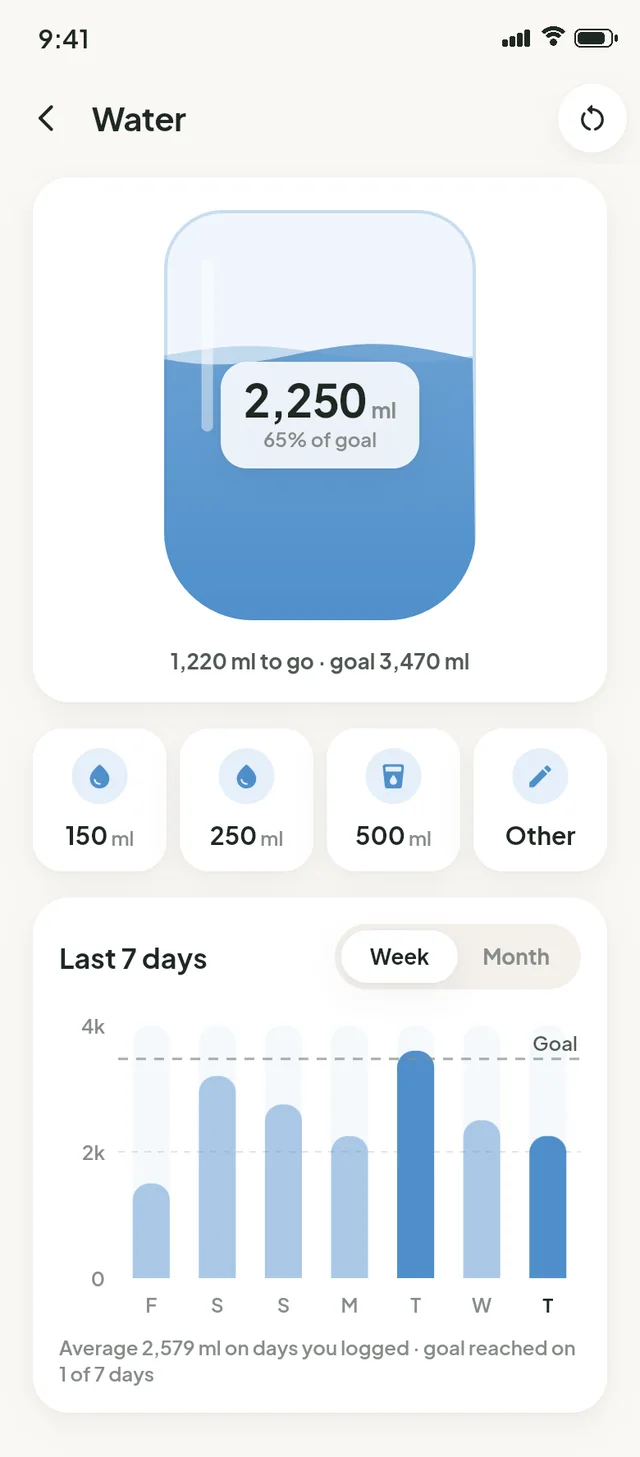
Water, steps and heart rate sit alongside everything else — and none of them turn red when you go over a number.
- Water with quick-add sizes and a weekly view
- Steps and heart rate from Apple Health or Health Connect, only with your permission
- Weight as a smoothed trend, never a daily verdict — or hidden entirely
Get stronger, at your pace.
Strength training is one of the most useful things you can do for your body — and it shouldn’t be confusing. Resiliency tells you what to do today and keeps track of the rest.
Programs, a schedule, and a week that rest can’t break
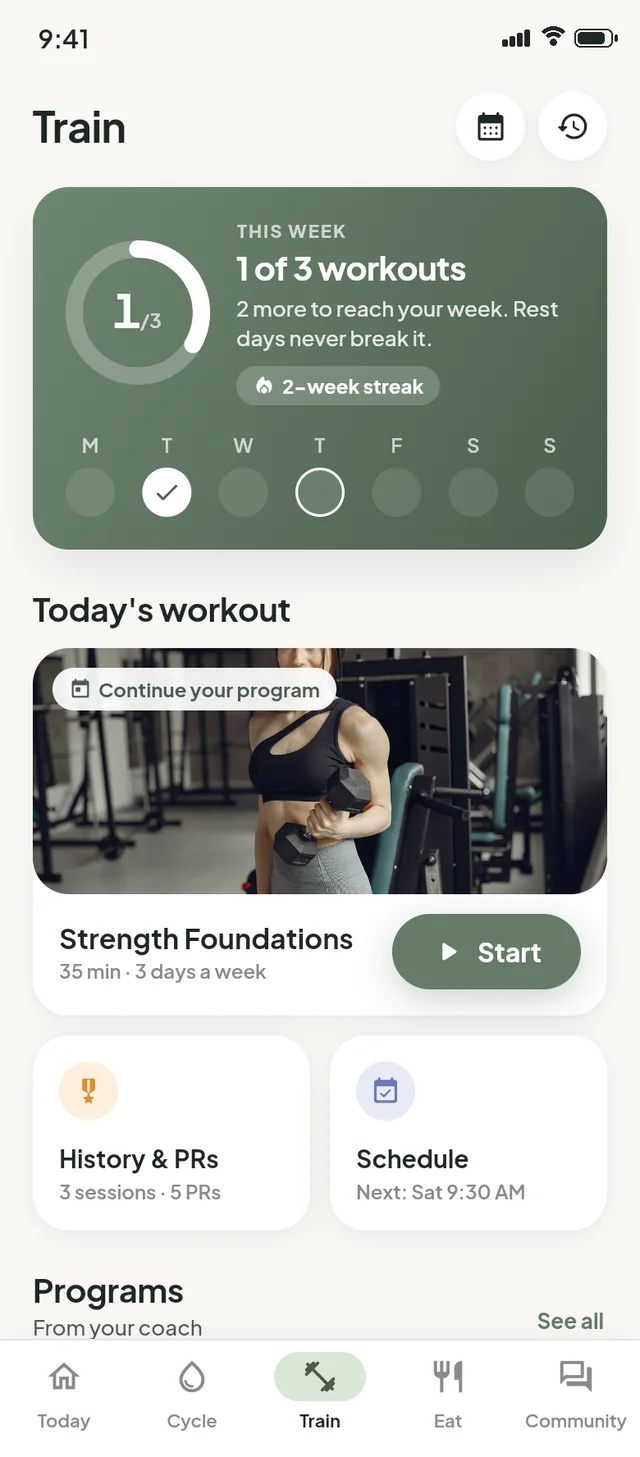
Follow a strength program from your coach, see today’s workout on the Train tab, and plan sessions on your schedule.
- Your week is measured by the workouts you planned, so rest days never reset it
- Streaks count weeks, not days — a quiet week off is just a week off
- Cycle-aware tips like “If energy dips, a lighter session still counts”
Illustration: a week of seven days. Workouts on Monday, Wednesday and Friday tick off one by one; the rest days in between fill in calmly and the count of 3 planned workouts is never reset.
A workout player that remembers
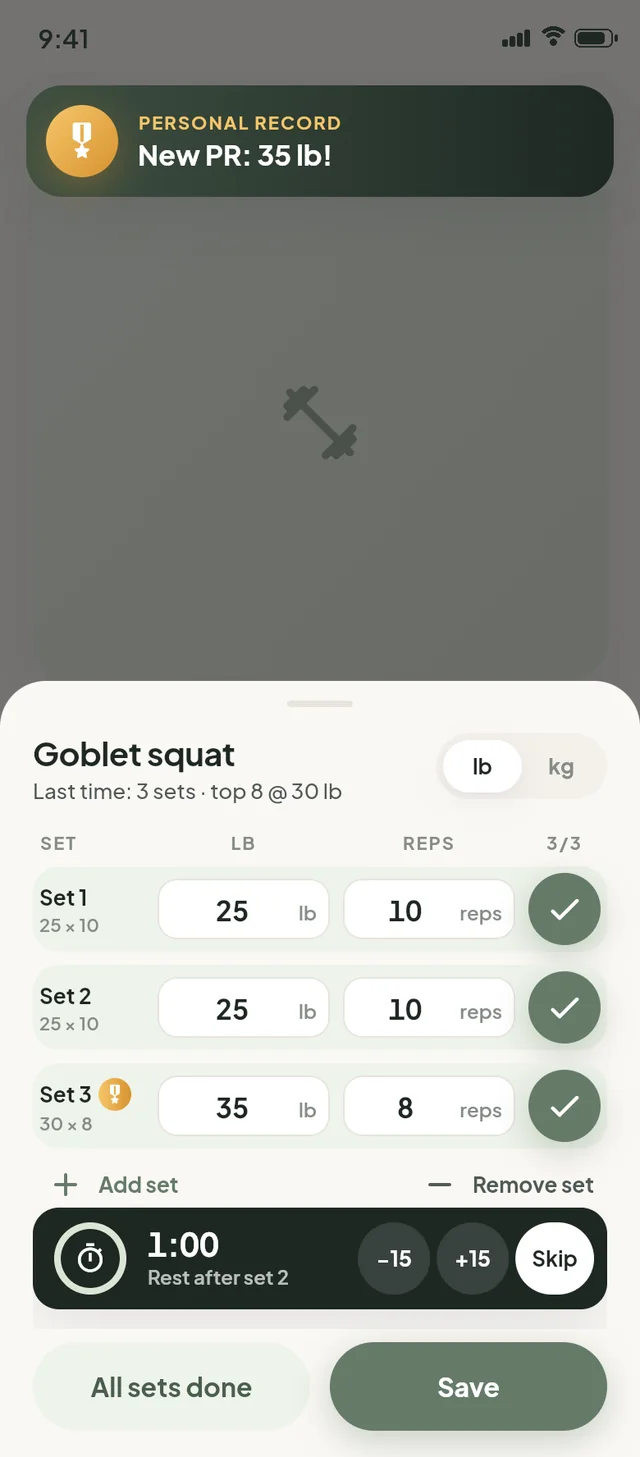
Open a session and your last weights and reps are already filled in. Tick each set, let the rest timer run, and if you beat a best, you’ll see it straight away.
- Last session’s numbers pre-filled for every set
- Rest timer with quick ±15-second adjustments
- Live personal-record celebration — in pounds or kilograms
Illustration: the goblet squat screen opens with last session’s weights and reps already filled in. Three sets are ticked off, a rest timer runs between them, and lifting 35 lb on the last set shows a personal-record banner.
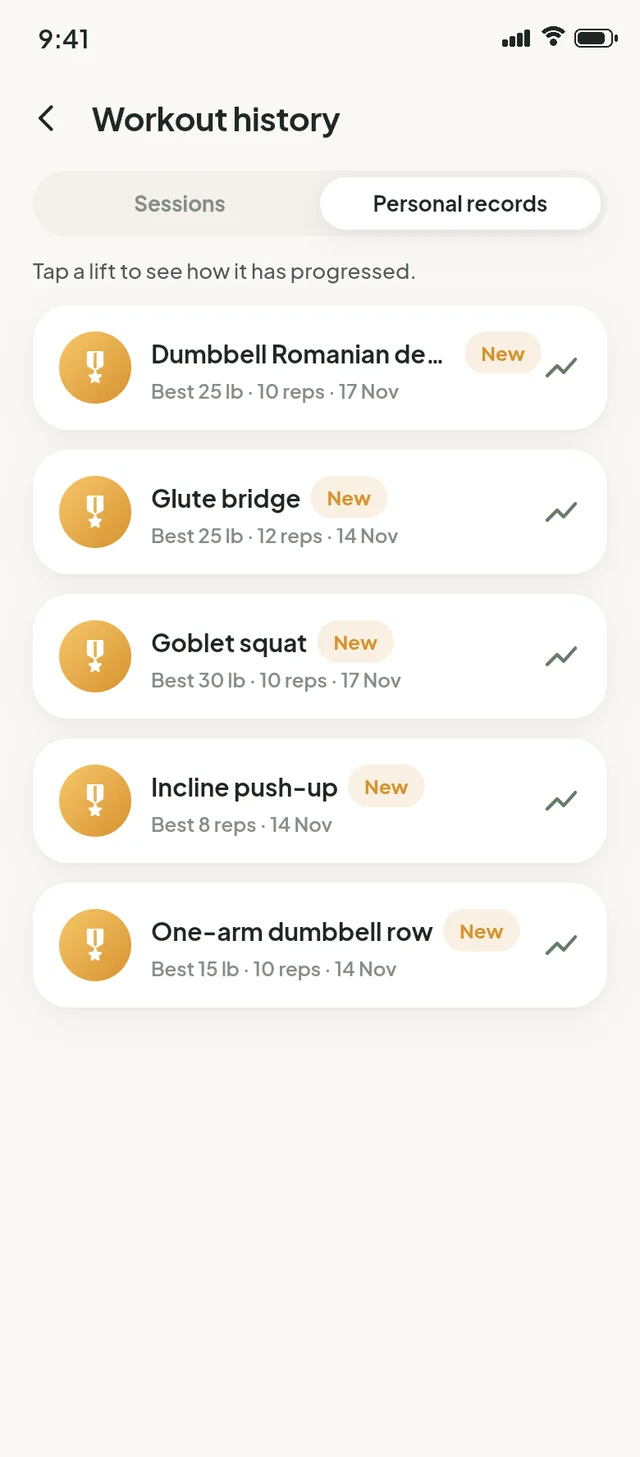
History, volume and personal records
Every session is saved with its sets. Weekly volume shows how much work you’re putting in, and every lift keeps its personal best — with a chart of how it’s progressed.
- Session history by week
- Weekly volume chart
- Personal records for every lift, with progress over time
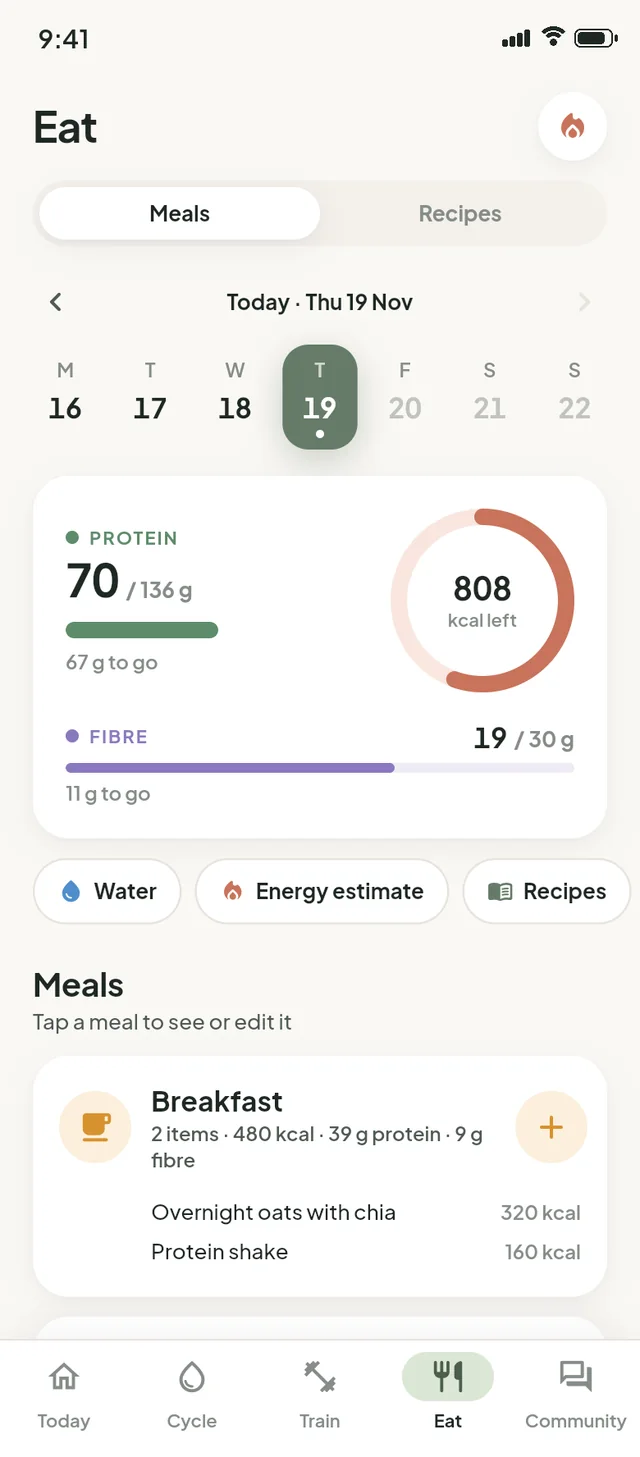
Protein and fibre first, calories optional.
No good foods or bad foods — just the two numbers that help meals keep you full and steady, front and centre, and logging that’s quick enough to keep doing.
A food log that leads with what matters
- Daily protein and fibre targets come first; calories are secondary and can be hidden
- Barcode scan and food search, with portions in grams, ounces, cups and more
- Saved meals and “same as yesterday” for the meals you repeat
- Recipes from your coach, and water in the same place
Targets are general wellness guides. If you have specific nutrition needs, your doctor or a registered dietitian can help you set what’s right for you.
A real coach, every week.
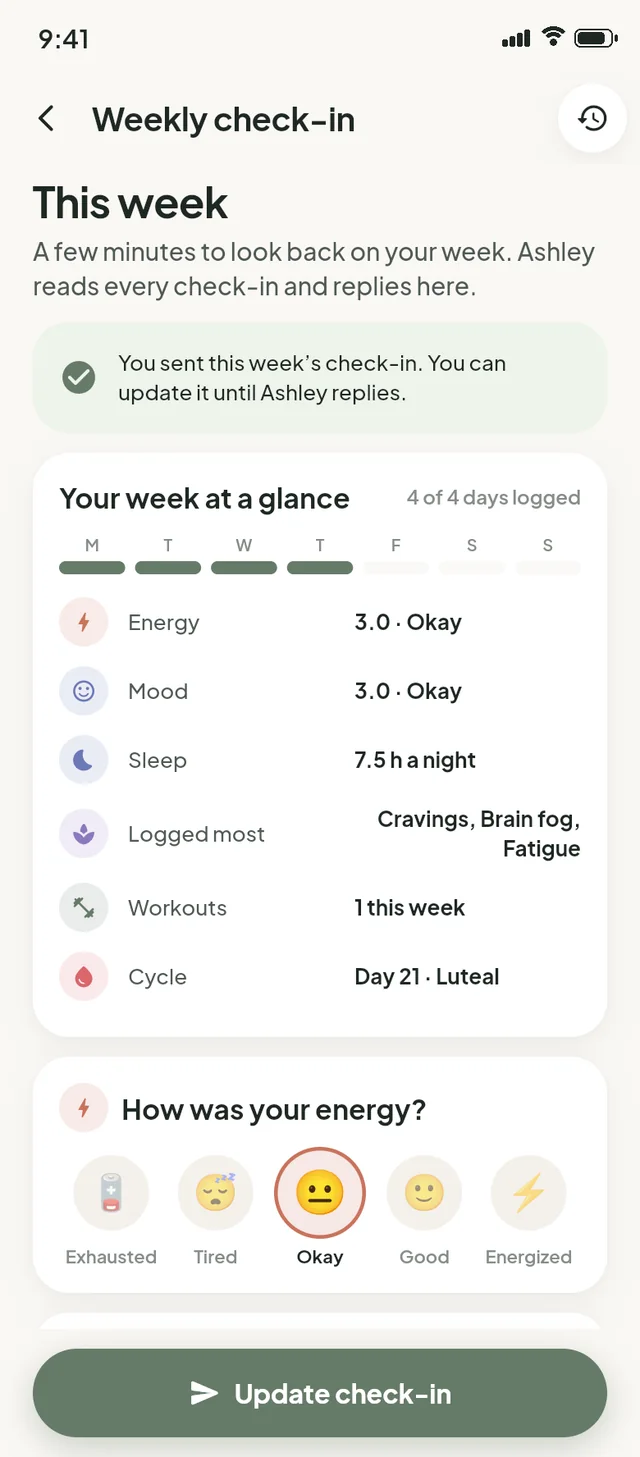
Ashley Miller reads your weekly check-in and replies personally. It’s the part of Resiliency no algorithm can do.
Check-ins that fill themselves in
- Your week at a glance — energy, mood, sleep, most-logged symptoms, workouts and cycle day — pre-filled from your logs
- Add a few words about how it really went, then send
- Ashley’s reply sits with your check-in, and you can update yours until she replies
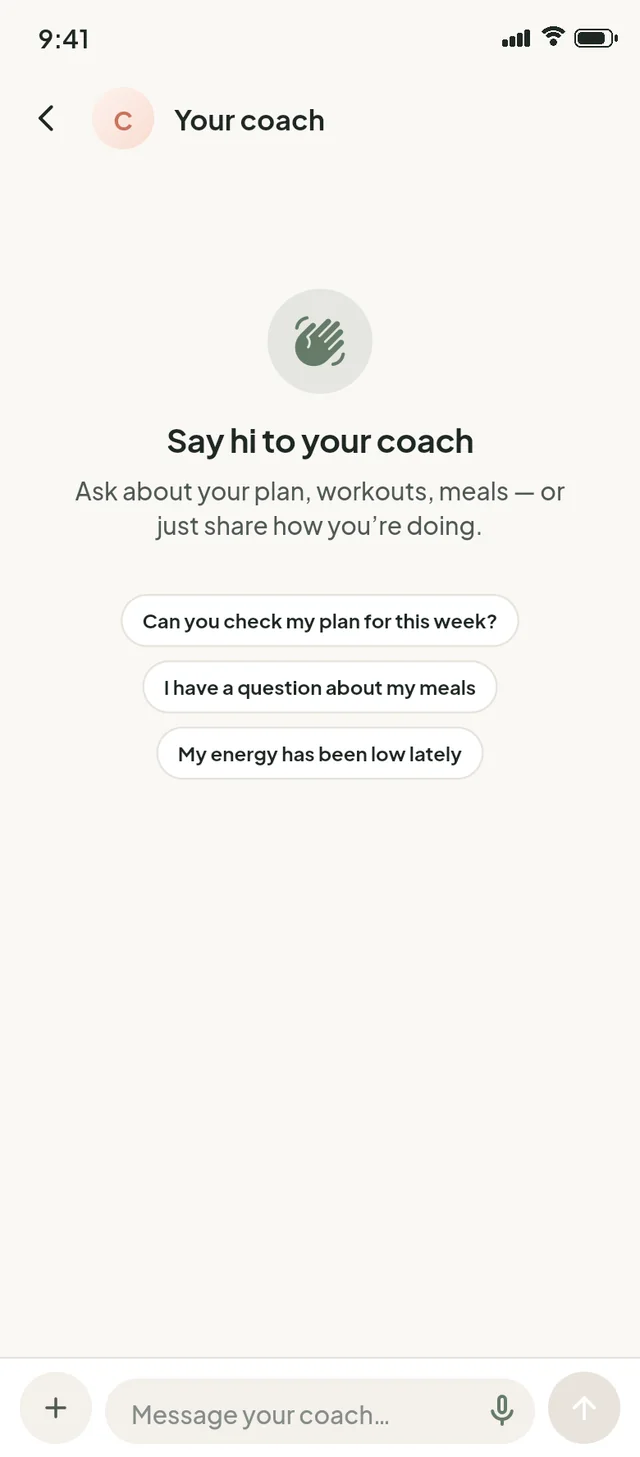
- Coach chat for the questions in between, and her notes as flags on your charts
You’re not the only one.
A space to share how your week’s going with women who get it.
- Posts, comments and likes
- Choose a display name — it doesn’t need to be your real name
- Report a post or comment, or block someone, from the “…” menu
- Kind, clear community guidelines: no diet talk, no shaming, no medical advice

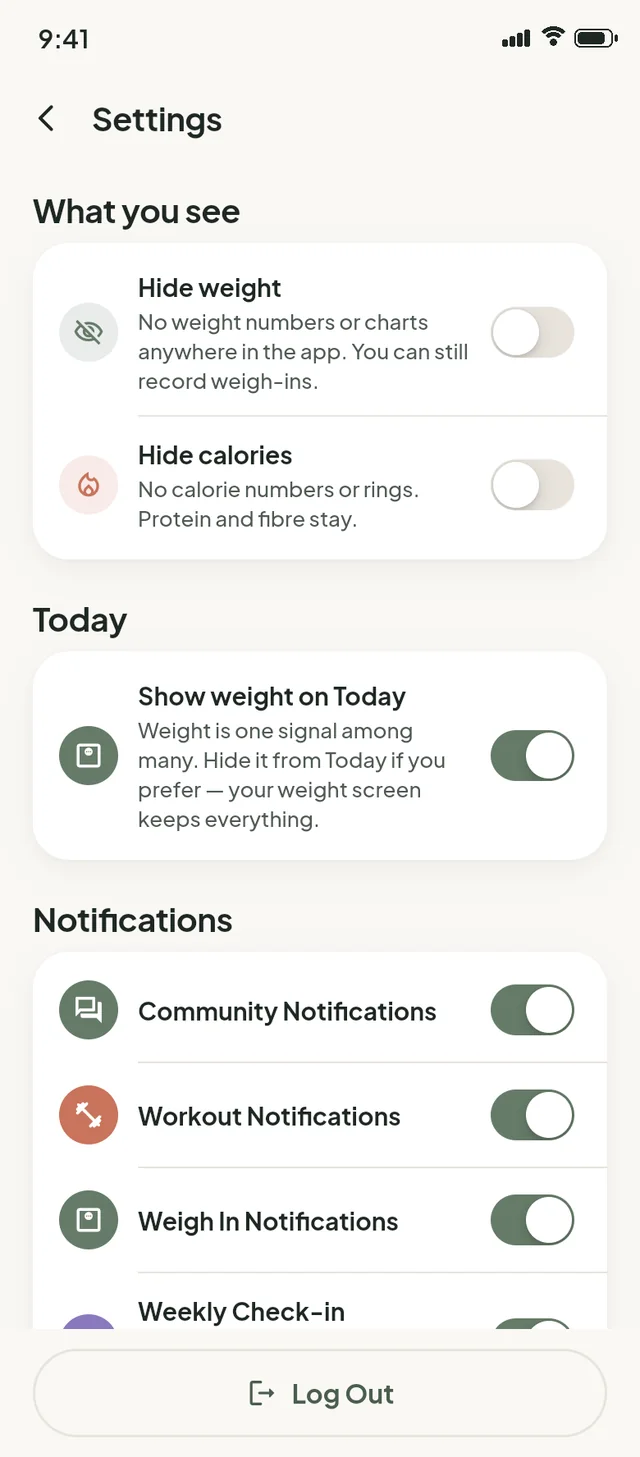
Your app, your rules.
Small switches that make a big difference to how the app feels.
Hide weight
No weight numbers or charts anywhere. You can still record weigh-ins.
Hide calories
No calorie numbers or rings. Protein and fibre stay.
Download my data
Export what you’ve logged, from Settings, whenever you like.
Delete account
Right in the app, no email needed. Any membership is cancelled too.
Start where you are.
Resiliency is coming soon to iPhone and Android. Join early access and we’ll email you the moment it’s ready — no spam, no pressure, and the core app will be free.